


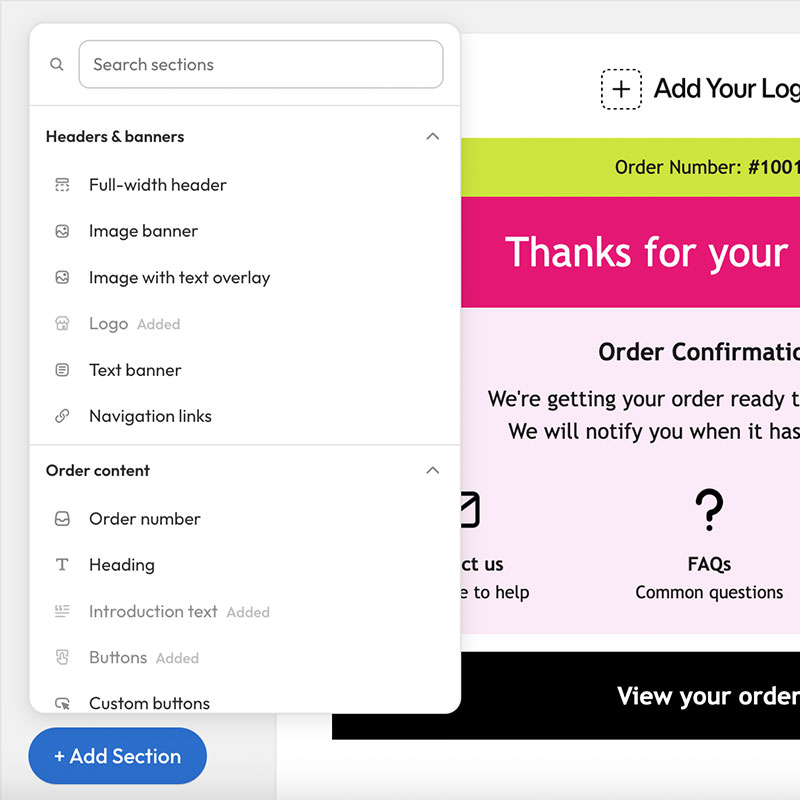
When a customer buys from your Shopify store, the order confirmation email is often the first message they open after checkout. It confirms the purchase, reduces anxiety, and sets the tone for everything that follows—shipping updates, support questions, and the next order.
Shopify sends this email through Shopify Notifications (Settings → Notifications → Order confirmation). It is a native transactional email, not a marketing campaign, which means it reaches the inbox reliably and uses your store’s order data automatically.
What a Shopify order confirmation email includes
By default, Shopify’s order confirmation covers the essentials:
- Order number and confirmation that payment was received
- Line items, quantities, and prices
- Shipping method and customer address details
- Store contact information
That baseline is useful—but it is also generic. Most merchants eventually want branding, clearer next steps, and sections that answer “what happens now?” before the customer emails support.
Why order confirmation emails matter for your store
Order confirmations do more than prove a sale went through:
- Trust: A clear, on-brand email reassures first-time buyers.
- Support deflection: Delivery expectations, returns links, and FAQs cut “where’s my order?” tickets.
- Brand continuity: The email should feel like your storefront, not a default system template.
- Post-purchase momentum: Soft CTAs (track order, shop care products, follow on social) keep the relationship going without feeling spammy.
Where to find and Customise the email in Shopify
In Shopify Admin, go to Settings → Notifications → Order confirmation. You can edit the subject line and the email body. The body is Liquid + HTML, which is powerful—but easy to break if you are not comfortable with code.
If you want branded Shopify order confirmation emails without hand-editing Liquid, tools like Easy Emails let you design visually, then export Shopify-ready code back into Notifications.
Key takeaways
- Shopify order confirmation emails are native Notifications, not marketing emails.
- They are high-intent messages customers actually read.
- Customizing branding and next steps improves trust and reduces support load.
- You can edit Liquid directly in Shopify—or use a no-code editor and paste the result into Notifications.
Install Easy Emails free on Shopify to design better order confirmation emails without touching code.